
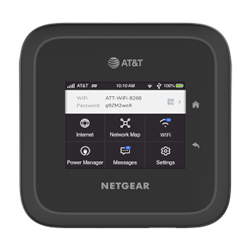
Unlock your Netgear Nighthawk M6 PRO (MR6500) Netgear hotspot quickly and securely with our expert service. If your device is locked to a specific SIM, we provide fast access to the unlock code you need. Experience a reliable and efficient unlocking solution tailored specifically for Netgear hotspots, ensuring you stay connected with any carrier.
Are you looking to unlock your Netgear device at an affordable price? We provide the fastest and most cost-effective solution to unlock your Netgear Mobile Hotspot or Router instantly and effortlessly. No technical expertise is required; simply follow a few simple steps, and your device will be unlocked without any risk of damage. We offer secure, professional services with the quickest delivery time for unlocking codes.
Unlocking your Netgear Nighthawk M6 Pro is the best way to gain freedom from carrier restrictions and use local 5G SIM cards anywhere in the world.
Before starting, you need your device’s unique identifier.
Power on your M6 Pro.
Navigate to Settings > More > Device Information.
Note down the 15-digit IMEI number.
Since the «unlock» intent is high, users are looking for a reliable source.
Visit bigunlock.com and select the Netgear Nighthawk M6 Pro unlock service.
Provide your IMEI and complete your order to receive your unique 8 or 16-digit network unlock code.
Turn off your device.
Remove the original carrier SIM and insert a SIM card from a different network (e.g., if it’s from AT&T, try a T-Mobile or international SIM).
Turn the device back on.
The M6 Pro screen (or the web UI at http://192.168.1.1) will display: «Enter Network Unlock Code».
Carefully type the code provided by BigUnlock.
Click OK or Submit. Your device will display «Unlock Successful» and automatically search for the new network.
Unlocking a router allows you to use it with any GSM network, giving you more flexibility with carriers and saving on international roaming fees. It also enhances the device’s resale value and ensures that the device remains unlocked even after updates or resets.
A Netgear router helps provide stable, fast, and secure internet connectivity for multiple devices in your home or office. It also supports features such as parental controls, guest network access, and advanced security settings.
In router mode, your Netgear router connects directly to your modem to provide internet access to multiple devices via wired or wireless connections, handling tasks like IP assignment and network traffic management.
Netgear routers come with advanced security features such as WPA3 encryption, firewalls, and regular firmware updates to keep your network secure from threats. They also offer parental controls to manage content access and protect users from unsafe websites.
With our fast and secure unlocking service, you can easily unlock your Netgear Mobile Hotspot or Router using the provided unlock code. Enjoy the freedom of using your device with any carrier, and increase its value with just a few simple steps.