
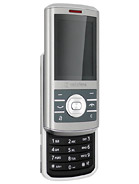
Looking to unlock your Vodafone 736? Want to do it without breaking the bank? You’re in the right place! We offer the fastest and most cost-effective solution to unlock your Vodafone device. Get your unlock code quickly and hassle-free—no technical expertise needed. Our codes come directly from trusted sources, ensuring safety and zero risks of damaging your phone. Plus, you’ll enjoy the quickest delivery times with our professional service.
Why Unlock Your Vodafone Phone?
- Use your Vodafone phone with any GSM carrier, both locally and internationally.
- Avoid costly roaming fees—simply swap SIM cards.
- Unlocking your phone is a one-time process that lasts forever, even after software updates or factory resets.
- Increase the resale value of your Vodafone device.
Important Notice!
Before placing an order, check if your phone asks for an unlock code. IMEI numbers starting with 99xxx are not supported. Devices from MetroPCS or T-Mobile USA are also not supported as they use a specific unlocking app.
How to Submit a Vodafone Unlock Code Order
We only need your Vodafone phone’s IMEI number. To find it, dial *#06# on your device.
How to Enter Your Vodafone Unlock Code
- Turn off your Vodafone 736.
- Insert a SIM card from a different carrier.
- Turn on your phone, and it will prompt you for a network unlock PIN or code.
- Enter the unlock code you received from us.
- That’s it! Your phone is now unlocked and ready for use with any carrier.
Delivery Time: Unlock codes are typically delivered within 1-3 business days for Vodafone phones and hotspots.
Frequently Asked Questions
Is the Vodafone phone unlocked?
Yes, once you receive the unlock code and enter it, your Vodafone phone will be permanently unlocked.
Can you unlock a locked Vodafone phone?
Yes, we can unlock any Vodafone phone, provided it meets our requirements (IMEI compatibility, no carrier restrictions from MetroPCS or T-Mobile USA).
What is unlocking a mobile phone?
Unlocking a mobile phone allows you to use it with any network provider by entering a unique unlock code, freeing it from carrier restrictions.
Can you buy an unlocked phone from Vodafone?
Some phones from Vodafone may be sold unlocked, but if your device is locked, we can help you unlock it with our service.
Need more info? Contact us for details on unlocking your Vodafone device.