
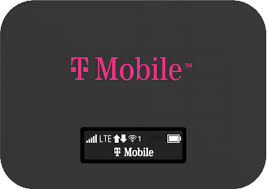
How to unlock your Franklin T9 for any SIM card
Unlocking the Franklin T9 mobile hotspot is a fully remote process: we request the official network unlock code (NCK) tied to your IMEI from the carrier database, and you enter it once on the device. After that, your T9 mobile hotspot stops asking for a code and accepts any compatible SIM — today, next year, and after any update.
- Find your IMEI (15 digits) on the label, the box, or the admin page.
- Place your order selecting “Franklin T9” and your original carrier (T-Mobile / Sprint).
- Receive your unlock code by email with simple instructions.
- Insert the new SIM, enter the code once, and your hotspot is free forever.
What you need before ordering (IMEI and eligibility)
- The 15-digit IMEI of your Franklin Wireless T9 — the only data we need to generate the code.
- Confirmation of the original carrier: this service covers T-Mobile and Sprint-locked Franklin T9 units. If your hotspot is from another network, choose the matching service in our catalog.
- A clean IMEI: devices reported lost, stolen or with fraud flags cannot be unlocked by any honest service. Run a quick check with our free IMEI blacklist checker before paying.
- A working device: the T9 must power on and show the SIM-lock / “enter unlock code” prompt. A code cannot fix hardware faults.
Not sure about eligibility (financed units, account status, etc.)? Place the order anyway: if the database rejects your IMEI, you get a full refund automatically — you never pay for a code we can’t deliver.
Where to find the IMEI on the Franklin T9
- Under the back cover: power off the T9, open the cover (and remove the battery if your unit has one). The IMEI is printed on the white label inside.
- On the original box: look for the barcode sticker on the side or bottom.
- In the web admin page: connect to the hotspot’s Wi-Fi, open
http://mobile.hotspotor192.168.0.1in your browser, log in, and check Device Info / About.
⚠️ Type the 15 digits exactly as printed. A wrong IMEI generates a code that will not work on your unit, so double-check before submitting.
After unlocking: using a SIM from another carrier
- Power off the hotspot and remove the T-Mobile SIM.
- Insert the SIM from your new carrier (AT&T, Mint Mobile, a local travel SIM…).
- Power on. The screen or web interface will ask for the network unlock code / SIM unlock PIN.
- Enter the code from our email exactly as shown and confirm. You’ll see an “unlock successful” message.
- If data doesn’t start immediately, open the admin page and set the new carrier’s APN (our instructions include the most common ones).
From now on you can swap SIMs as often as you like — your T-Mobile Franklin T9 hotspot behaves like a factory-unlocked device, with no code prompts ever again.
Franklin T9 unlock FAQ
Does it work with an AT&T, Mint Mobile, or international SIM card?
Yes. Once unlocked, the T9 works with most GSM/LTE carriers: AT&T, Mint Mobile, Ultra Mobile, Simple Mobile, Metro by T-Mobile, and local carriers abroad. Compatibility depends on the LTE bands your new carrier uses in your area; legacy CDMA-only networks are not supported. If you tell us your target carrier before ordering, we’ll confirm compatibility for free.
How long does the unlock code take to arrive?
Most Franklin T9 unlock codes arrive by email within 1–24 hours. During carrier database maintenance it can occasionally take up to 48 hours. Check your spam folder, and if anything looks delayed, contact support with your order number — we’ll chase it for you.
What if my T9 asks for a code but won’t accept it?
Stop and don’t keep guessing: repeated wrong attempts can hard-lock the prompt. Make sure the new SIM is seated correctly and enter the code exactly as written (no spaces or dashes). If it still fails, contact us with your order number and IMEI — we verify the code against the database and reissue a corrected one at no extra cost, or refund you in full.