
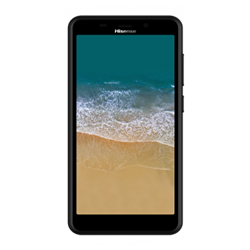
Unlock Your Hisense T965 Phone Quickly & Safely
Unlocking your Hisense smartphone is now more affordable, faster, and easier than ever! Our professional unlocking service ensures optimized delivery times and a safe process, guaranteeing no risk of damage to your device. Our Hisense unlock codes come directly from our secure database, ensuring a reliable experience without requiring special technical knowledge.
Once unlocked, your Hisense smartphone will remain unlocked permanently, even after system updates or a factory reset. Just follow a few simple steps to unlock your Hisense phone and enjoy the freedom to use it with any GSM carrier.
Benefits of Unlocking Your Hisense Phone
- Use any GSM carrier locally and internationally, avoiding expensive roaming fees.
- Increase the resale value of your Hisense phone.
- Permanent unlock—your phone will remain unlocked after updates or resets.
- Hassle-free process with no technical knowledge required.
Requirements to Unlock Hisense Phones
To unlock your Hisense phone, we only need the IMEI number. Here’s how to find it:
Dial *#06# on your Hisense phone to display the IMEI number.
Step-by-Step Guide to Unlock Your Hisense Phone
- Turn off your Hisense phone.
- Insert a SIM card from a different carrier.
- Turn your phone back on.
- When prompted, enter the unlock code.
- Your phone will display a message: “Successfully Unlocked”.
- Your phone is now permanently unlocked!
Frequently Asked Questions
What is unlocking a mobile phone?
Unlocking a mobile phone means removing the restrictions imposed by the original carrier, allowing you to use your phone with any GSM carrier of your choice. This gives you the freedom to switch networks without purchasing a new device.
What is device network unlock?
Device network unlock refers to the process of unlocking a phone’s software to allow it to connect to different mobile networks. This process typically involves entering a specific unlock code provided by a service or carrier.
What is an unlock app on a phone?
An unlock app on a phone is a software application designed to help users unlock their mobile devices. These apps may guide users through the unlocking process or provide necessary unlock codes to use with different carriers.
Explore More
Unlock your Hisense phone today and enjoy the flexibility of using it with various GSM carriers! Also, check out our latest Samsung LED, Vizio M series, and other smart devices available at amazing prices during our clearance sales. Don’t miss out on fantastic deals on electronics like the Google speaker, Fire TV Stick, and more!