
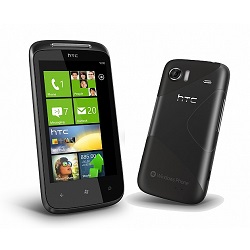
Unlock Your HTC 7 Mozart Phone Easily & Safely
Unlocking your HTC smartphone has never been more affordable, faster, or simpler! Our expert unlocking service guarantees a seamless process with optimized delivery times. Enjoy peace of mind knowing that our HTC unlock codes come directly from a secure database, ensuring a risk-free experience that requires no technical expertise.
Once your HTC device is unlocked, it will stay unlocked permanently, even after software updates or factory resets. Follow our straightforward steps to unlock your HTC phone and gain the freedom to choose any GSM carrier you desire.
Advantages of Unlocking Your HTC Smartphone
- Use any GSM carrier locally and internationally, helping you avoid hefty roaming fees.
- Boost the resale value of your HTC device.
- Permanent unlock—your phone remains unlocked after updates or resets.
- Easy process with no technical skills needed.
What You Need to Unlock Your HTC Phone
To unlock your HTC device, simply provide the IMEI number. Here’s how to find it:
Dial *#06# on your HTC phone to reveal the IMEI number.
Step-by-Step Guide to Unlocking Your HTC Device
- Power off your HTC phone.
- Insert a SIM card from a different carrier.
- Turn your phone back on.
- When prompted, input the unlock code.
- Your device will show a message: “Successfully Unlocked”.
- Your phone is now permanently unlocked!
Frequently Asked Questions
What does it mean to unlock a phone?
Unlocking a phone allows you to use it with any compatible GSM carrier, giving you the flexibility to choose your service provider without being restricted to the original network.
How can I reset a locked HTC phone?
To reset a locked HTC phone, you typically need to perform a factory reset. This can often be done by holding down specific hardware buttons (like Power + Volume Down) while the phone is powered off. Keep in mind that this will erase all data on the device.
How do I remove the lock screen on my HTC phone?
You can remove the lock screen by going to your phone’s settings. Navigate to Security > Screen Lock and select None or Swipe to disable it. If you forget your lock screen password, you may need to reset the device.