
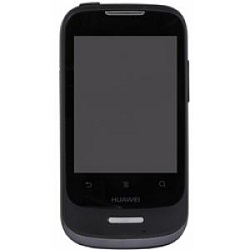
Unlock Your Huawei U8186 Phone Quickly & Safely
Unlocking your Huawei smartphone has never been more affordable, fast, and simple! Our professional unlocking service guarantees optimized delivery times and a secure process that ensures your device remains undamaged. Our Huawei unlock codes are sourced directly from our secure database, providing a reliable experience that requires no technical expertise.
Once unlocked, your Huawei phone will remain unlocked permanently, even after system updates or factory resets. Follow a few easy steps to unlock your device and enjoy the freedom to choose any GSM carrier worldwide.
Advantages of Unlocking Your Huawei Phone
- Use any GSM carrier locally and internationally, avoiding high roaming fees.
- Boost the resale value of your Huawei phone.
- Enjoy a permanent unlock your device stays unlocked after updates or resets.
- Experience a hassle-free process with no technical knowledge needed.
Requirements to Unlock Huawei Phones
To unlock your Huawei phone, simply provide the IMEI number. Here’s how to find it:
Dial *#06# on your device to display your IMEI number.
Step-by-Step Guide to Unlock Your Huawei Phone
- Power off your Huawei device.
- Insert a SIM card from a different carrier.
- Turn your phone back on.
- When prompted, enter the unlock code.
- Your device will display a message: “Successfully Unlocked”.
- Your phone is now permanently unlocked!
Frequently Asked Questions
What is Huawei Smart Unlock?
Huawei Smart Unlock is a feature that allows users to unlock their devices automatically when connected to trusted devices or networks, providing enhanced convenience and security.
Can you unlock a Huawei phone?
Yes, you can easily unlock a Huawei phone using our professional unlocking service, allowing you to use your device with any GSM carrier.
What is screen lock on Huawei?
The screen lock on Huawei devices is a security feature that prevents unauthorized access to your phone by requiring a password, PIN, or biometric authentication (like fingerprint or face recognition) to unlock the screen.
Can you unlock a Huawei phone without losing data?
Yes, our unlocking process is designed to ensure that your data remains intact, so you can unlock your Huawei phone without losing any important information.