
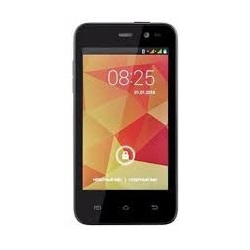
Unlock Your ZTE Phone Quickly and Affordably
Are you looking to unlock your ZTE smartphone? Want to do it at an unbeatable price? You’ve come to the right place! We provide the fastest and most affordable unlocking solutions. Obtain your unlock code at the lowest possible cost, and enjoy the freedom of using your ZTE device with any GSM carrier.
Why Unlock Your ZTE V765M?
Unlocking your ZTE phone offers numerous advantages:
- Carrier Freedom: Use your device with any GSM carrier worldwide without incurring roaming fees—just swap SIM cards!
- Permanent Unlock: Once unlocked, your phone remains unlocked forever, even after updates or hard resets.
- Increased Resale Value: An unlocked phone has a higher resale value, making it a smart investment.
- Easy Process: Unlocking can be completed in just a few simple steps with no technical expertise required.
Important Information
Before placing your order, ensure your device prompts for an unlock code. IMEI numbers starting with 99xxx are not supported. Please refrain from ordering for this IMEI range, as unlocking is not possible. Additionally, ZTE devices from MetroPCS or T-Mobile USA are not supported, as these require a specific unlocking app.
How to Submit Your ZTE Unlock Code Order
We only need one thing from you:
- IMEI: Your ZTE phone’s IMEI number. Dial *#06# on your device to retrieve it.
How to Enter Your ZTE Unlock Code
Entering your unlock code is simple. Follow these steps:
- Power off your ZTE V765M
- Insert a SIM card from a different carrier.
- Turn your phone back on.
- Your phone will request the SIM network unlock PIN.
- Enter the unlock code you received.
- Your phone will display a message confirming it is successfully unlocked!
Delivery Time
The estimated delivery time for your ZTE unlock code ranges from 2 to 5 days.
Frequently Asked Questions
Can a ZTE phone be unlocked?
Yes, ZTE phones can be unlocked using a specific unlock code, allowing them to be used with any GSM carrier.
What is the code to unlock a ZTE phone?
The unlock code is a unique number provided to you after you submit your order. It is essential for unlocking your device.
What is the difference between locked phones and unlocked phones?
A locked phone is tied to a specific carrier, restricting its use with other networks. An unlocked phone can be used with any GSM carrier globally, providing flexibility and saving on roaming fees.
How to factory reset a ZTE phone?
To factory reset your ZTE phone, go to Settings > System > Reset > Factory data reset, and follow the prompts to erase all data and settings.